Small business automation: what to review with every client
Help local-business clients identify repeated work, choose a useful first improvement, and hand over a process their staff can run. Includes a review worksheet.
Quick answer
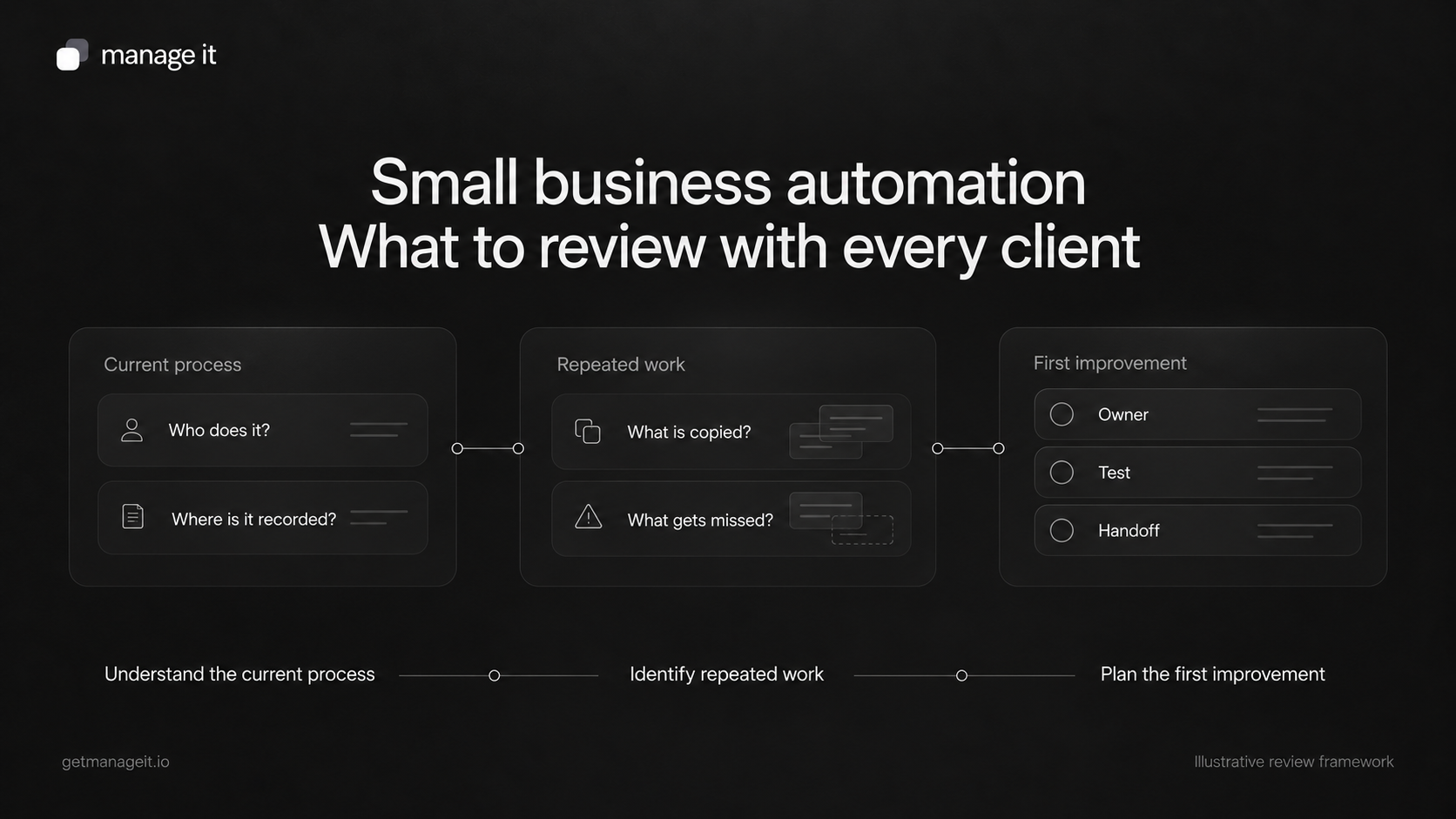
Review how the client handles inquiries, bookings, customer information, documents, and payments before recommending software.
Start with repeated tasks that follow clear rules, and keep decisions requiring judgment with the right person.
Give each change an owner, a test, and a way to handle exceptions.
Ask a website client what happens after someone submits their contact form. The message might arrive in an inbox, get forwarded to another person, and eventually become a row in a spreadsheet. The customer may receive a reply, but no one can easily see who is responsible or what should happen next.
That is a business problem worth discussing as part of your agency's advice. Your client may know the process is frustrating without knowing what to ask you to change. Helping them recognize the gap and put a workable system in place is part of serving them well.
Small business automation uses software to carry out defined actions when something happens: record a request, notify the right person, or send an appropriate reminder. It can also connect several steps, provided the rules and handoffs are clear. It does not require adding AI to every task. Zapier's process-automation guide distinguishes individual tasks, connected processes, and different approaches to automation.
Before choosing any of those approaches, understand the work your client actually needs done.
Follow one customer through the business
Ask the client to show you a recent job, from the first inquiry to the final payment. Work through it with the people who do the administration, rather than relying only on the owner's description of how it is supposed to work.
Record where information arrives, where it is kept, who acts on it, and what tells them to act. Pay attention to the points where someone copies details, searches an inbox, or asks a colleague whether a task was completed.
Use these questions to structure the conversation:
New inquiries. Ask the client: Where do requests arrive, and who checks each source?. What you need to establish: A destination, a responsible person, and a next action.
Customer records. Ask the client: Where can staff find the latest contact details and conversation?. What you need to establish: Which record the team uses and who keeps it current.
Booking. Ask the client: What must be known before someone can choose a time?. What you need to establish: Availability, service requirements, confirmation, and changes.
Documents. Ask the client: Who prepares, sends, reviews, and stores each document?. What you need to establish: Required information, the next person to act, and completion status.
Invoices and payment. Ask the client: When is the invoice sent, and how does the team know what remains unpaid?. What you need to establish: Accurate status, clear payment steps, and appropriate follow-up.
Ongoing service. Ask the client: What happens when the customer needs help or something changes?. What you need to establish: A visible request, an owner, and a way to resolve it.
Use the client's examples to identify specific problems. “We need automation” is difficult to act on. “The same inquiry gets entered into three places, and nobody owns the reply” gives you something to investigate.
The client-systems review worksheet provides the same questions, space for the current process, and a template for the first change.
Choose a task with clear rules
A useful first candidate happens repeatedly, has a recognizable starting event, and has a result you can check. The person responsible should be able to explain what normally happens and when the task needs a different response.
For example, recording a completed inquiry and alerting a named staff member may be straightforward. Deciding whether a complicated request is appropriate for the business may require a conversation. Keep that decision with a person and make sure the relevant information reaches them.
Microsoft's automation guidance recommends assessing the task, keeping useful human decisions, and planning ongoing maintenance. Those principles apply to a client setup even when the software is much smaller than an enterprise system.
Before suggesting an automated action, answer four questions:
What event starts it?
What information must already be available?
What exactly should happen?
Who handles it when the information is missing or the action fails?
If the team cannot agree on those answers, clarify the process first. Software can carry out a rule consistently while still carrying out the wrong rule.
Decide what to keep, configure, connect, or replace
Look at the client's existing tools before adding another subscription. Sometimes the useful improvement is an unused setting, a clearer responsibility, or removing a step nobody needs.
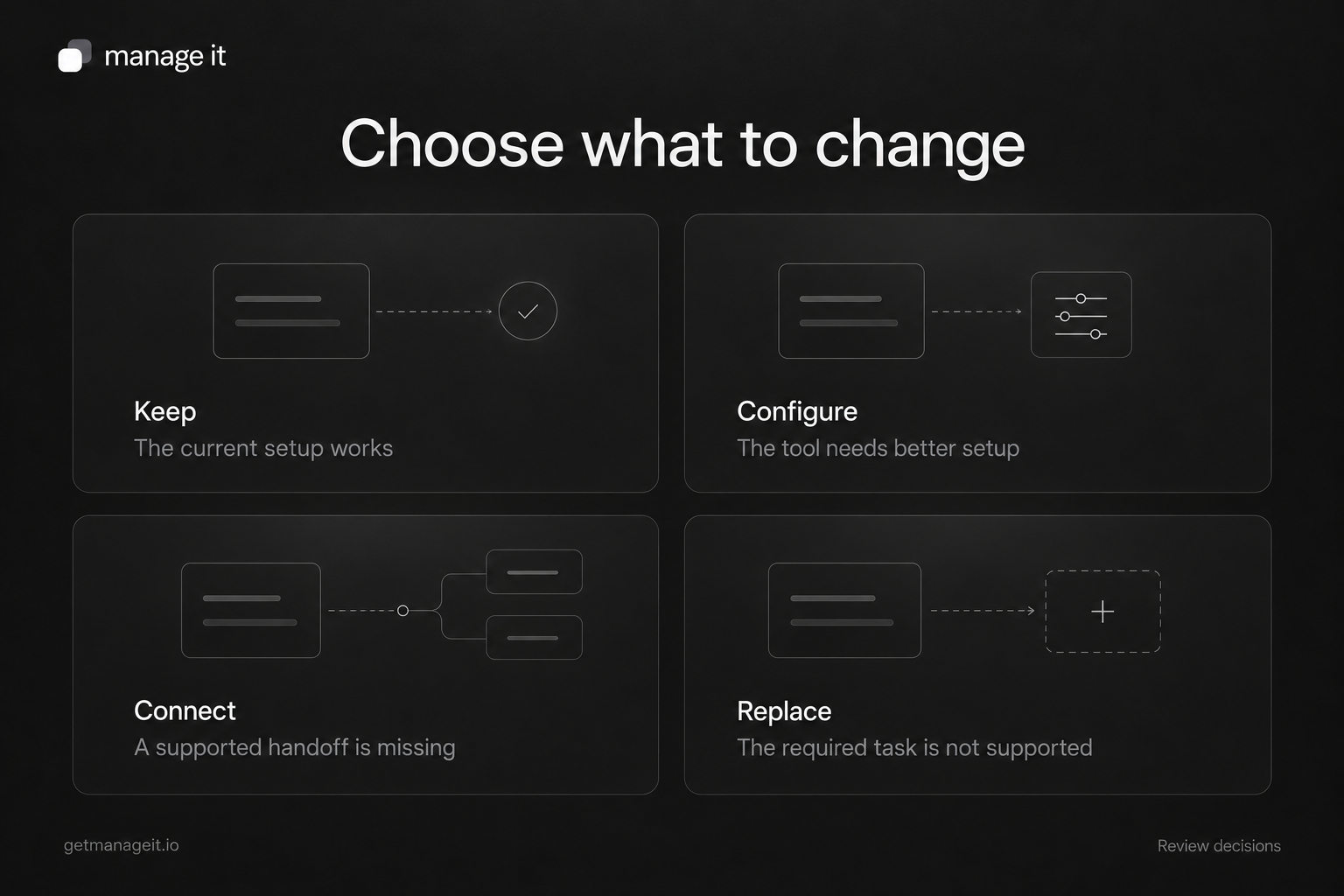
Keep. When it makes sense: The current setup serves the task and the team can maintain it. What to check: Document the owner and any known limits.
Configure. When it makes sense: The tool has the needed capability, but the setup is incomplete. What to check: Settings, permissions, notifications, and staff training.
Connect. When it makes sense: Two useful tools need a supported handoff. What to check: Data mapping, duplicate handling, failure visibility, and recovery.
Replace. When it makes sense: The current tool cannot support an important requirement. What to check: Migration, retained records, staff access, costs, and the exit plan.
A connection deserves the same scrutiny as a new product. Confirm what data moves, in which direction, and what happens if a record changes later. The presence of two integrations in a feature list does not establish that the client's complete process will work.
Keep specialist systems in the review. Accounting, payroll, industry-specific records, and other established tools may need to remain. The recommendation should explain their role alongside the software you introduce.
Write the first improvement as a small, complete process
Consider an illustrative portrait studio. Its website inquiries arrive by email. A coordinator copies customer details into a contact list and asks the owner to suggest a session. When the coordinator is away, the owner may not know which requests still need attention.
The first improvement could be a shared inquiry record with an assigned owner and a visible next action. Write the proposed process before configuring it:
Starting event. Illustrative decision: A customer submits a complete portrait-session inquiry.
Information needed. Illustrative decision: Contact details, session request, and any details needed to respond.
Record. Illustrative decision: One inquiry linked to the appropriate customer record.
Responsible person. Illustrative decision: Studio coordinator; owner covers absences.
First action. Illustrative decision: Review the request and send a useful personal reply.
Next action. Illustrative decision: Request missing details, provide booking options, or close an unsuitable request.
Exception. Illustrative decision: If the record or notification fails, a named person checks the agreed fallback.
This describes the intended process, not a claim that a particular tool has already been configured. Test the chosen software against it. Check whether repeat submissions create duplicates and whether the person covering an absence can see the conversation.
The studio still makes the service recommendation. Automation may help with capture, notifications, or reminders, while the team remains responsible for the reply. The lead-follow-up guide develops that part of the process.
Test the exceptions before handing it over
Use clearly marked test records and controlled email addresses. Test the ordinary case, then try missing information, a repeat submission, an unavailable staff member, and a change made after the process has started.
For every automated message, ask what stops it. A reminder to book should not continue after the customer has booked by phone. A payment reminder needs to reflect the actual invoice status. Someone must be able to pause the process and correct the record.
Check the result where staff and customers will see it. A successful configuration screen does not prove that the notification arrived or that the next person knows what to do. If you compare the old and new processes during a trial, avoid sending both sets of live messages or initiating duplicate payment actions.
Hand over the daily work as well as the configuration. The client should know how to find an unfinished request, change the responsible person, handle an exception, and contact the right support person. Record who maintains the setup when services, staff, or business hours change.
Check whether the change helped
Choose a measure that matches the problem. For an inquiry process, that could be requests without an owner, requests still awaiting a substantive reply, or records staff had to enter twice. For booking, it could be the manual steps needed to arrange or change an appointment.
Record the current situation and compare it with a defined period after handoff. Use the same definitions and consider changes in volume or staffing. Also ask the people doing the work whether the setup is understandable and whether exceptions are easy to resolve.
A process that runs automatically can still create extra work elsewhere. Review what changed for the whole team before expanding it.
Where ManageIt fits in the recommendation
ManageIt gives agencies business software they can set up for clients under their own brand. Use the platform overview to assess the relevant areas, then demonstrate the specific workflow the client needs. Booking, customer records, documents, and invoicing are useful starting points for that conversation.
For a client who needs appointment scheduling, the booking setup guide turns the recommendation into requirements, website access, tests, and a staff handoff. Other needs deserve the same level of attention.
Bring the review into your next client conversation. Follow one real job, identify one unresolved task, and agree on a change with a named owner. That gives the client a practical recommendation they can understand and your agency a clear responsibility to deliver.
Client-systems review worksheet
Copy the worksheet below into your own document and fill it in with the client. It is a blank planning resource, not a completed assessment.
Review details
Business and service being reviewed. Your notes: __________.
Agency lead. Your notes: __________.
Business owner / decision-maker. Your notes: __________.
Staff who do the daily work. Your notes: __________.
Review date. Your notes: __________.
Recent job or customer journey to examine. Your notes: __________.
Agreed scope and exclusions. Your notes: __________.
Use anonymized examples in shared review notes. Keep customer records in the business's approved system, with appropriate access.
Trace the current process
For each stage, record what actually happens. A stage may be unnecessary or may happen in a different order for this business.
Inquiry. Where information arrives or lives: __________. Person responsible: __________. What happens next: __________. Repeated work, delay, or exception: __________.
Customer record. Where information arrives or lives: __________. Person responsible: __________. What happens next: __________. Repeated work, delay, or exception: __________.
Booking or assessment. Where information arrives or lives: __________. Person responsible: __________. What happens next: __________. Repeated work, delay, or exception: __________.
Document or agreement. Where information arrives or lives: __________. Person responsible: __________. What happens next: __________. Repeated work, delay, or exception: __________.
Service delivery. Where information arrives or lives: __________. Person responsible: __________. What happens next: __________. Repeated work, delay, or exception: __________.
Invoice and payment. Where information arrives or lives: __________. Person responsible: __________. What happens next: __________. Repeated work, delay, or exception: __________.
Ongoing support. Where information arrives or lives: __________. Person responsible: __________. What happens next: __________. Repeated work, delay, or exception: __________.
Ask the team:
Where do you enter the same information again?
Which task depends on someone remembering to do it?
What is difficult to find when a customer calls?
What changes when the usual staff member is away?
Which part of the current setup already works well?
Which mistakes or delays matter most to the business and its customers?
Choose the recommendation
Keep. Use when: The current setup serves the task. Proposed change and reason: __________.
Configure. Use when: Existing capability needs better settings, access, or training. Proposed change and reason: __________.
Connect. Use when: A supported handoff between useful tools is missing. Proposed change and reason: __________.
Replace. Use when: An important requirement is unsupported. Proposed change and reason: __________.
Remove unnecessary process steps before adding software. Note any specialist accounting, payroll, industry, or other systems that need to remain.
Define the first improvement
Specific problem. Agreed decision: __________.
Intended result. Agreed decision: __________.
Event that starts the process. Agreed decision: __________.
Required information. Agreed decision: __________.
Record or system used. Agreed decision: __________.
Human decision that remains. Agreed decision: __________.
Action to configure. Agreed decision: __________.
Responsible person and backup. Agreed decision: __________.
When a reminder or sequence should pause or stop. Agreed decision: __________.
Missing-data or failed-action response. Agreed decision: __________.
Manual fallback. Agreed decision: __________.
Setup and maintenance effort. Agreed decision: __________.
Costs and dependencies to confirm. Agreed decision: __________.
Acceptance and handoff
Ordinary complete request. Expected result: __________. Actual result / evidence: __________. Owner: __________. Status: Not tested.
Missing information. Expected result: __________. Actual result / evidence: __________. Owner: __________. Status: Not tested.
Duplicate or repeated request. Expected result: __________. Actual result / evidence: __________. Owner: __________. Status: Not tested.
Staff absence. Expected result: __________. Actual result / evidence: __________. Owner: __________. Status: Not tested.
Customer changes plans. Expected result: __________. Actual result / evidence: __________. Owner: __________. Status: Not tested.
Failure and manual recovery. Expected result: __________. Actual result / evidence: __________. Owner: __________. Status: Not tested.
Staff complete daily tasks without agency intervention. Expected result: __________. Actual result / evidence: __________. Owner: __________. Status: Not tested.
Use controlled records and recipients. Avoid triggering duplicate live messages, bookings, or charges while comparing processes.
Review the result
Measure and exact definition. Your notes: __________.
Baseline period and observation. Your notes: __________.
Follow-up period and observation. Your notes: __________.
Changes in volume, staff, or service that affect the comparison. Your notes: __________.
Staff feedback and unresolved exceptions. Your notes: __________.
Person who maintains the setup. Your notes: __________.
Next review date and reason. Your notes: __________.
Record observations before claiming an improvement. A proposed target is not a measured result.